Admin Dashboard
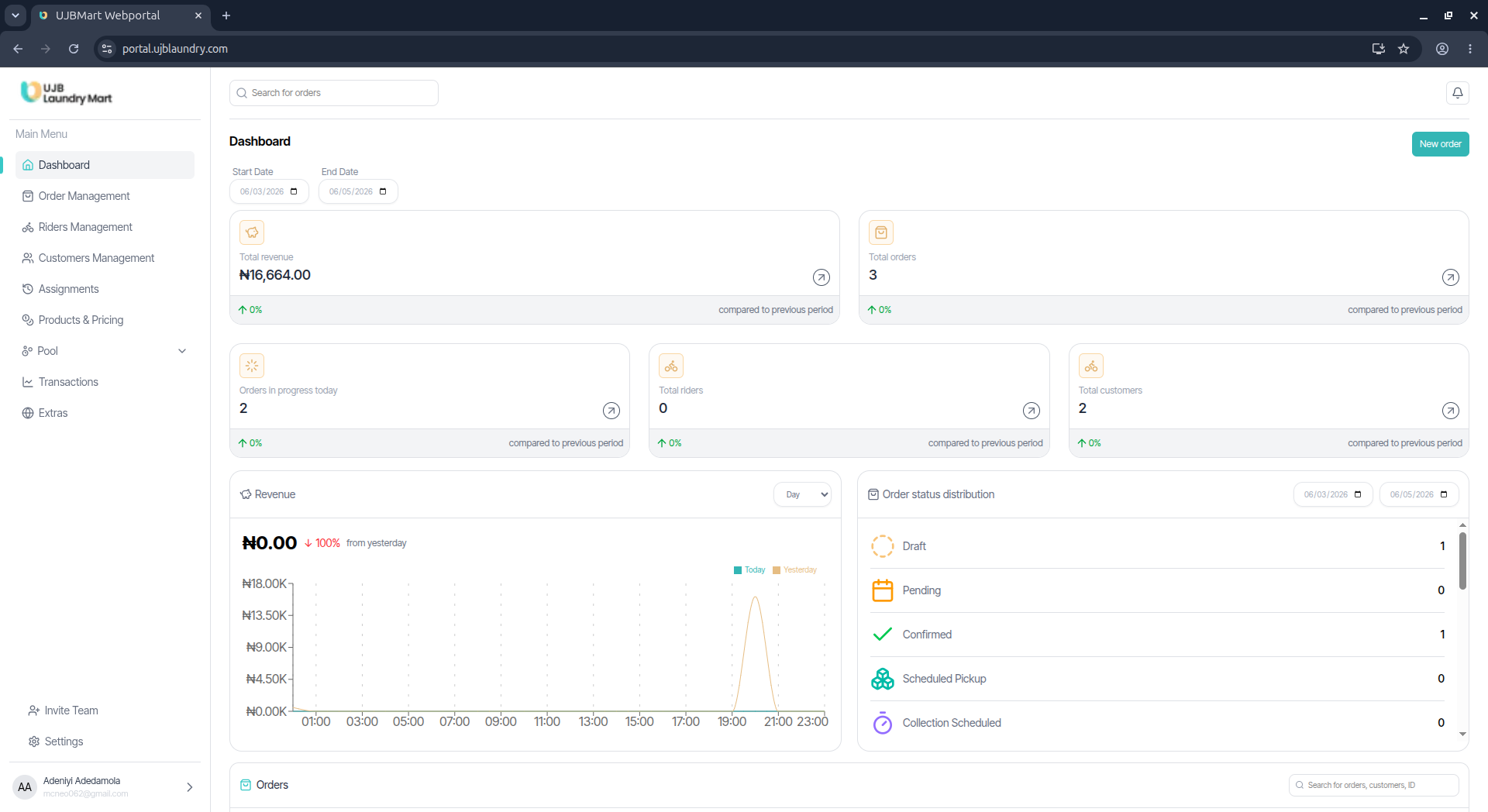
Overview
The dashboard serves as the single source of truth for all transactions on the UJB app. It syncs records from the POS terminals, Rider app, and customer app to provide real-time insights into revenue, orders, riders, customers, and other key application metrics.
Key Features
Date Filtering
Filter all analytical data by defining specific start and end dates via the date-picker option at the top of the screen.
Real-Time Metrics
View live calculations for:
- Total Revenue
- Total Orders & Orders in Progress Today
- Total Active Riders & Registered Customers
Operational Charts
Track revenue trends and hourly order metrics via interactive graphs for better decision-making.
Order Status Distribution
Monitor the status of orders across their entire lifecycle:
| Status | Description |
|---|---|
| Draft | Order from customer in progress |
| Pending | Order awaiting confirmation |
| Confirmed | Order in progress |
| Scheduled Pickup | Order scheduled for pickup |
| Collection Scheduled | Order to be collected from the walk-in store |
| Collected | Clothes collected from customer |
| In Processing | Order being processed |
| Quality Check | Order undergoing quality verification |
| Storage | Order in storage |
| Out for Delivery | Rider with cloth in transit |
| Delivered | Clothes successfully delivered to customer |
| Ready for Pickup | Order ready for customer pickup |
| Picked Up by Customer | Customer collected clothes |
| Scheduled Delivery | Clothes scheduled for rider pickup |
| Cancelled | Order cancelled |
| Refunded | Order refunded |
Live Order Summary
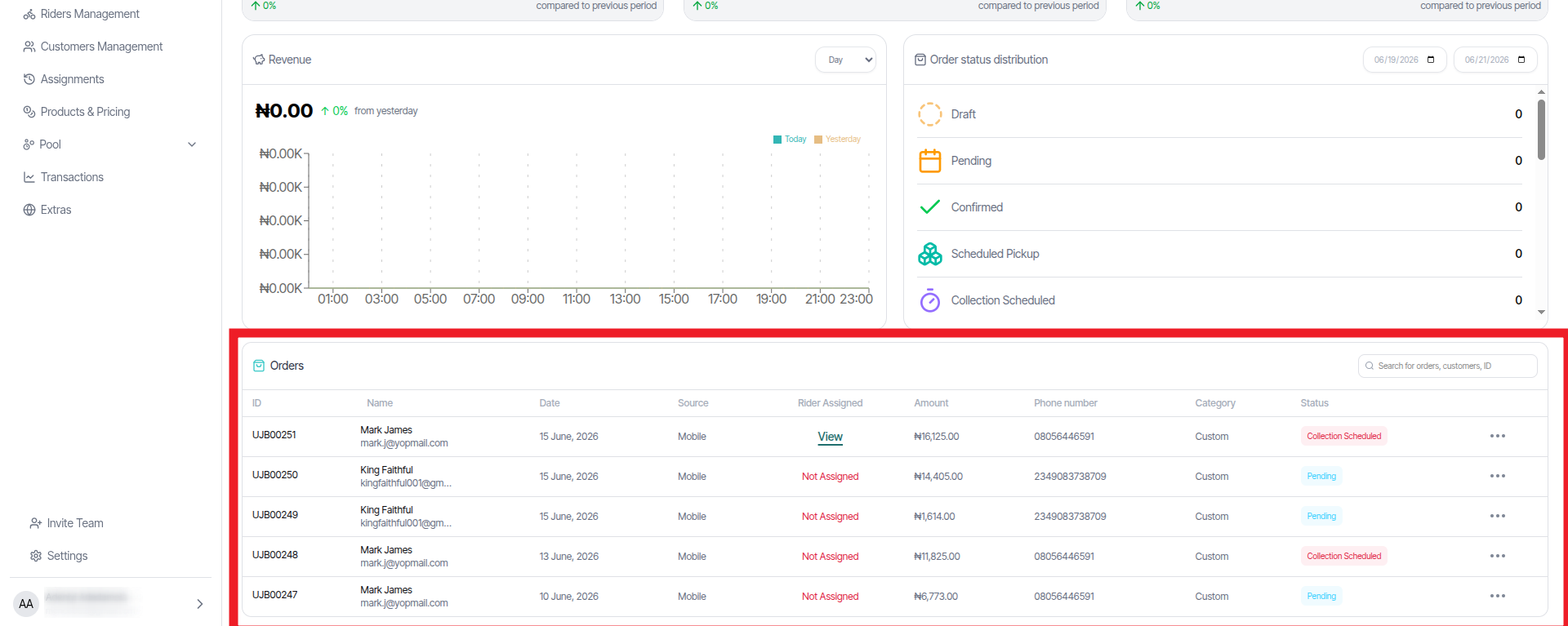
An interactive table at the bottom of the dashboard displays real-time summaries of incoming orders and their current status.